

Instalasi Zimbra OSE 10.1.0 di Ubuntu 22.04, Zimbra adalah solusi email, kalender, dan kolaborasi berkelas yang dapat di implementasikan pada public cloud atau private cloud. Dengan antarmuka berbasis browser yang didesain ulang, menawarkan pengalaman mengesankan paling inovatif yang tersedia saat ini, menghubungkan end user dengan informasi dan aktivitas dalam private cloud mereka. Sehingga aplikasi ini layak untuk di pakai pada perusahaan kecil, menengah, besar, sekolah, intansi dll.
1.Instalasi paket yang dibutuhkan
1 2 | sudo apt-get update sudo apt-get install nano wget bind9 bind9utils telnet perl ufw tar resolvconf net-tools -y |
2. Atur TimeZone
| 1 | timedatectl set-timezone Asia/Jakarta |
3. Atur Hostname
| 1 | hostnamectl set-hostname mail.saad.my.id |
4. Stop dan Disable Postfix
1 2 | systemctl stop postfix systemctl disable postfix |
5. Ubah Hosts
| 1 | nano /etc/hosts |
Masukkan IP Address (Cek Dengan Perintah: ifconfig) IP Contoh: 139.162.55.204. Save dengan Ctrl+o
| 1 | 139.162.55.204 mail.saad.my.id mail |
6. Konfigurasi resolv.conf
1 2 3 4 5 6 7 | systemctl enable resolvconf systemctl start resolvconf cp /etc/resolv.conf /etc/resolv.conf.conf.backup echo "search saad.my.id" >> /etc/resolvconf/resolv.conf.d/head echo "nameserver 139.162.55.204" >> /etc/resolvconf/resolv.conf.d/head sudo resolvconf --enable-updates sudo resolvconf -u |
7. Create zone di dns server bind
1 2 3 4 | cp /etc/bind/named.conf.local /etc/bind/named.conf.local.backup cp /etc/bind/named.conf.options /etc/bind/named.conf.options.backup > /etc/bind/named.conf.local sed -i '/directory*/a\ forwarders {8.8.8.8; 8.8.4.4;};' /etc/bind/named.conf.options; |
ubah file /etc/bind/named.conf.local
| 1 | nano /etc/bind/named.conf.local |
masukan baris berikut
1 2 3 4 5 6 7 8 | zone saad.my.id { type master; file "/var/lib/bind/saad.my.id.hosts"; allow-transfer { 127.0.0.1; localnets; }; }; |
8. Create saad.my.id.hosts
Buat file saad.my.id.hosts menggunakan text editor
| 1 | vi /var/lib/bind/saad.my.id.hosts |
masukan baris berikut
01 02 03 04 05 06 07 08 09 10 | $ttl 3600 @ IN SOA mail.saad.my.id. root.mail.saad.my.id. ( 1615364925 3600 600 1209600 3600 ) saad.my.id. IN NS mail.saad.my.id. mail.saad.my.id. IN A 139.162.55.204 saad.my.id. IN MX 10 mail |
9.Restart dan enable dns server bind
1 2 | systemctl restart named systemctl enable named |
10 Check lookup
| 1 | nslookup mail.saad.my.id |
Bila respon seperti dibawah, konfigurasi sudah benar
1 2 3 4 5 6 | [root@mail etc]# nslookup mail.saad.my.id Server: 139.162.55.204 Address: 139.162.55.204#53 Name: mail.saad.my.id Address: 139.162.55.204 |
Untuk dapat membuat mail server dengan zimbra, harus download terlebih dahulu software zimbra, setelah itu di install
1. Download Paket zimbra mail server
1 2 | cd /opt/ |
2. Ekstrak Paket
1 2 | tar -zxvf zcs-10.1.0_GA_4200000.UBUNTU22_64.20240727100104.tgz cd zcs-10.1.0_GA_4200000.UBUNTU22_64.20240727100104 |
3. Install Zimbra Mail Server
| 1 | ./install.sh |
4. Ketik y kemudian enter
01 02 03 04 05 06 07 08 09 10 11 12 13 14 15 | ---------------------------------------------------------------------- PLEASE READ THIS AGREEMENT CAREFULLY BEFORE USING THE SOFTWARE. SYNACOR, INC. ("SYNACOR") WILL ONLY LICENSE THIS SOFTWARE TO YOU IF YOU FIRST ACCEPT THE TERMS OF THIS AGREEMENT. BY DOWNLOADING OR INSTALLING THE SOFTWARE, OR USING THE PRODUCT, YOU ARE CONSENTING TO BE BOUND BY THIS AGREEMENT. IF YOU DO NOT AGREE TO ALL OF THE TERMS OF THIS AGREEMENT, THEN DO NOT DOWNLOAD, INSTALL OR USE THE PRODUCT. License Terms for this Zimbra Collaboration Suite Software: https://www.zimbra.com/license/zimbra-public-eula-2-6.html ---------------------------------------------------------------------- Do you agree with the terms of the software license agreement? [N] y |
5. Ketik y Enter
| 1 | Use Zimbra's package repository [Y] y |
Ketik y atau n sesuai contoh dibawah
01 02 03 04 05 06 07 08 09 10 11 12 13 14 15 16 17 18 19 20 21 | Select the packages to install Install zimbra-ldap [Y] y Install zimbra-logger [Y] y Install zimbra-mta [Y] y Install zimbra-dnscache [Y] n Install zimbra-snmp [Y] y Install zimbra-store [Y] y Install zimbra-apache [Y] y Install zimbra-spell [Y] y Install zimbra-memcached [Y] y Install zimbra-proxy [Y] y |
6. Ketik y kemudian enter
01 02 03 04 05 06 07 08 09 10 11 12 13 | Installing: zimbra-core zimbra-ldap zimbra-logger zimbra-mta zimbra-snmp zimbra-store zimbra-apache zimbra-spell zimbra-memcached zimbra-proxy The system will be modified. Continue? [N] y |
7. Ketik y, kemudian masukkan nama domain. (tanpa mail. di depan) ikuti contoh dibawah
1 2 3 4 | DNS ERROR resolving MX for mail.saad.my.id It is suggested that the domain name have an MX record configured in DNS Change domain name? [Yes] y Create domain: [mail.saad.my.id] saad.my.id |
8. Ubah password admin zimbra, ketik 6 kemudian enter
01 02 03 04 05 06 07 08 09 10 11 12 13 14 15 16 17 18 19 20 21 22 23 24 25 26 27 28 29 30 31 32 33 34 35 36 37 38 39 40 | Main menu 1) Common Configuration: 2) zimbra-ldap: Enabled 3) zimbra-logger: Enabled 4) zimbra-mta: Enabled 5) zimbra-snmp: Enabled 6) zimbra-store: Enabled +Create Admin User: yes +Admin user to create: admin@saad.my.id ******* +Admin Password UNSET +Anti-virus quarantine user: virus-quarantine.eicwpwe7er@saad.my.id +Enable automated spam training: yes +Spam training user: spam.gouyq_wk@saad.my.id +Non-spam(Ham) training user: ham.nvrujwhl@saad.my.id +SMTP host: mail.saad.my.id +Web server HTTP port: 8080 +Web server HTTPS port: 8443 +Web server mode: https +IMAP server port: 7143 +IMAP server SSL port: 7993 +POP server port: 7110 +POP server SSL port: 7995 +Use spell check server: yes +Spell server URL: http://mail.saad.my.id:7780/aspell.php +Enable version update checks: TRUE +Enable version update notifications: TRUE +Version update notification email: admin@saad.my.id +Version update source email: admin@saad.my.id +Install mailstore (service webapp): yes +Install UI (zimbra,zimbraAdmin webapps): yes 7) zimbra-spell: Enabled 8) zimbra-proxy: Enabled 9) Default Class of Service Configuration: s) Save config to file x) Expand menu q) Quit Address unconfigured (**) items (? - help) 6 |
ketik 4 kemudian enter
01 02 03 04 05 06 07 08 09 10 11 12 13 14 15 16 17 18 19 20 21 22 23 24 25 26 27 28 | Store configuration 1) Status: Enabled 2) Create Admin User: yes 3) Admin user to create: admin@saad.my.id ** 4) Admin Password UNSET 5) Anti-virus quarantine user: virus-quarantine.eicwpwe7er@saad.my.id 6) Enable automated spam training: yes 7) Spam training user: spam.gouyq_wk@saad.my.id 8) Non-spam(Ham) training user: ham.nvrujwhl@saad.my.id 9) SMTP host: mail.saad.my.id 10) Web server HTTP port: 8080 11) Web server HTTPS port: 8443 12) Web server mode: https 13) IMAP server port: 7143 14) IMAP server SSL port: 7993 15) POP server port: 7110 16) POP server SSL port: 7995 17) Use spell check server: yes 18) Spell server URL: http://mail.saad.my.id:7780/aspell.php 19) Enable version update checks: TRUE 20) Enable version update notifications: TRUE 21) Version update notification email: admin@saad.my.id 22) Version update source email: admin@saad.my.id 23) Install mailstore (service webapp): yes 24) Install UI (zimbra,zimbraAdmin webapps): yes Select, or 'r' for previous menu [r] 4 |
Masukkan password admin (contoh: rahasia10)
| 1 | Password for admin@saad.my.id (min 6 characters): [fn9qHyywWA] rahasia10 |
9. Ketik r kemudian enter
01 02 03 04 05 06 07 08 09 10 11 12 13 14 15 16 17 18 19 20 21 22 23 24 25 26 27 28 | Store configuration 1) Status: Enabled 2) Create Admin User: yes 3) Admin user to create: admin@saad.my.id 4) Admin Password set 5) Anti-virus quarantine user: virus-quarantine.eicwpwe7er@saad.my.id 6) Enable automated spam training: yes 7) Spam training user: spam.gouyq_wk@saad.my.id 8) Non-spam(Ham) training user: ham.nvrujwhl@saad.my.id 9) SMTP host: mail.saad.my.id 10) Web server HTTP port: 8080 11) Web server HTTPS port: 8443 12) Web server mode: https 13) IMAP server port: 7143 14) IMAP server SSL port: 7993 15) POP server port: 7110 16) POP server SSL port: 7995 17) Use spell check server: yes 18) Spell server URL: http://mail.saad.my.id:7780/aspell.php 19) Enable version update checks: TRUE 20) Enable version update notifications: TRUE 21) Version update notification email: admin@saad.my.id 22) Version update source email: admin@saad.my.id 23) Install mailstore (service webapp): yes 24) Install UI (zimbra,zimbraAdmin webapps): yes Select, or 'r' for previous menu [r] r |
10. Ikutin sesuai petunjuk dibawah
01 02 03 04 05 06 07 08 09 10 11 12 13 14 15 16 17 18 19 20 21 | Main menu 1) Common Configuration: 2) zimbra-ldap: Enabled 3) zimbra-logger: Enabled 4) zimbra-mta: Enabled 5) zimbra-snmp: Enabled 6) zimbra-store: Enabled 7) zimbra-spell: Enabled 8) zimbra-proxy: Enabled 9) Default Class of Service Configuration: s) Save config to file x) Expand menu q) Quit *** CONFIGURATION COMPLETE - press 'a' to apply Select from menu, or press 'a' to apply config (? - help) a Save configuration data to a file? [Yes] y Save config in file: [/opt/zimbra/config.10438] Saving config in /opt/zimbra/config.10438...done. The system will be modified - continue? [No] y |
11. Ketik n kemudian enter
1 2 3 4 5 6 7 | You have the option of notifying Zimbra of your installation. This helps us to track the uptake of the Zimbra Collaboration Server. The only information that will be transmitted is: The VERSION of zcs installed (10.1.0_GA_4200000_UBUNTU22_64) The ADMIN EMAIL ADDRESS created (admin@saad.my.id) Notify Zimbra of your installation? [Yes] n |
12. Tekan Enter
1 2 3 4 | Moving /tmp/zmsetup.20240823-143050.log to /opt/zimbra/log Configuration complete - press return to exit |
13. Jalankan firewall
| 1 | sudo ufw enable |
14. Masukkan perintah berikut untuk membuka port akses zimbra, copy+paste kemudian enter
01 02 03 04 05 06 07 08 09 10 11 12 13 14 15 16 17 18 19 | sudo ufw default deny incoming sudo ufw default allow outgoing sudo ufw allow 25/tcp sudo ufw allow 80/tcp sudo ufw allow 110/tcp sudo ufw allow 143/tcp sudo ufw allow 443/tcp sudo ufw allow 465/tcp sudo ufw allow 587/tcp sudo ufw allow 993/tcp sudo ufw allow 995/tcp sudo ufw allow 3443/tcp sudo ufw allow 5222/tcp sudo ufw allow 5223/tcp sudo ufw allow 9071/tcp sudo ufw allow 8443/tcp sudo ufw allow 7071/tcp sudo ufw allow 53/tcp sudo ufw allow 53/udp |
15. Disable Modern UI
1 2 3 | su - zimbra -c "zmprov mcf zimbraModernWebClientDisabled TRUE" su - zimbra -c "zmprov mc default zimbraPrefClientType advanced" su - zimbra -c "zmcontrol restart" |
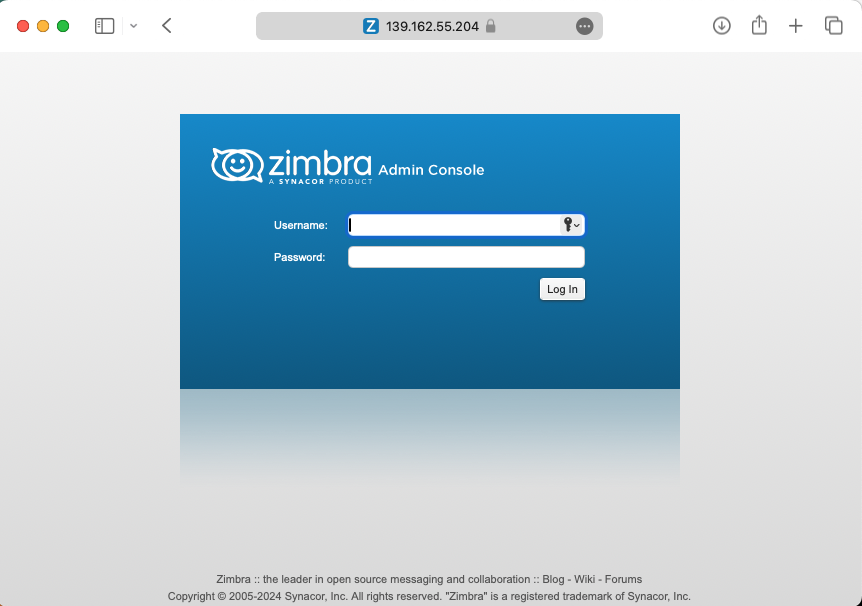
Akses Zimbra admin: https://139.162.55.204:7071
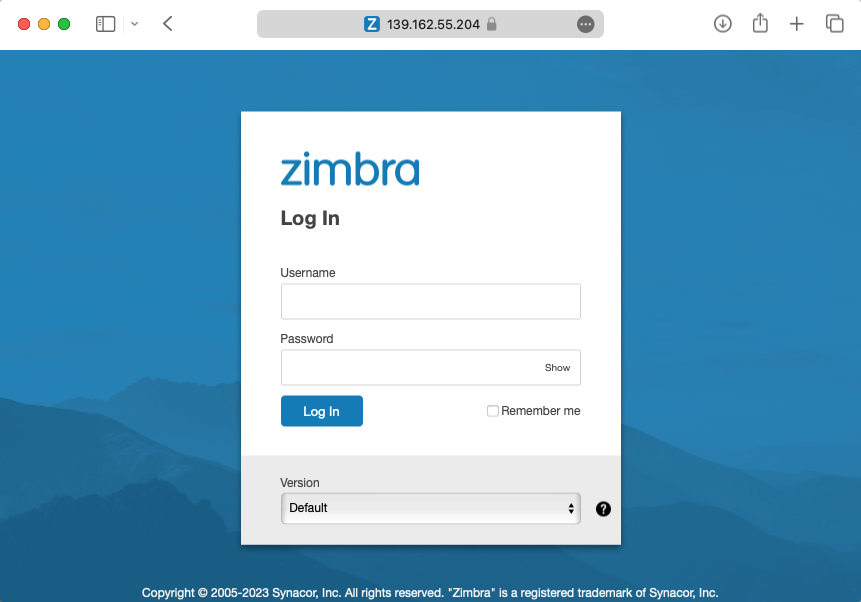
Akses Web Client: https://139.162.55.204
Video:
Selamat mencoba…
Tertarik menggunakan zimbra??
“Bila membutuhkan layanan implementasi, VPS, Maintenance Bulanan, dan SSL untuk dapat membuat mail server dengan zimbra dapat menghubungi kami melalui WhatsApp atau pada






 English
 Indonesia